V-Bucks Card: V-Bucks are the in-game currency used in Fortnite. They let you buy cool stuff like skins, emotes, and battle passes. If you have a V-Bucks card, you can easily redeem it to add V-Bucks to your account. This guide will walk you through the process step by step. It’s simple, even if you’re new to Fortnite or gaming.
What is a V-Bucks Card?
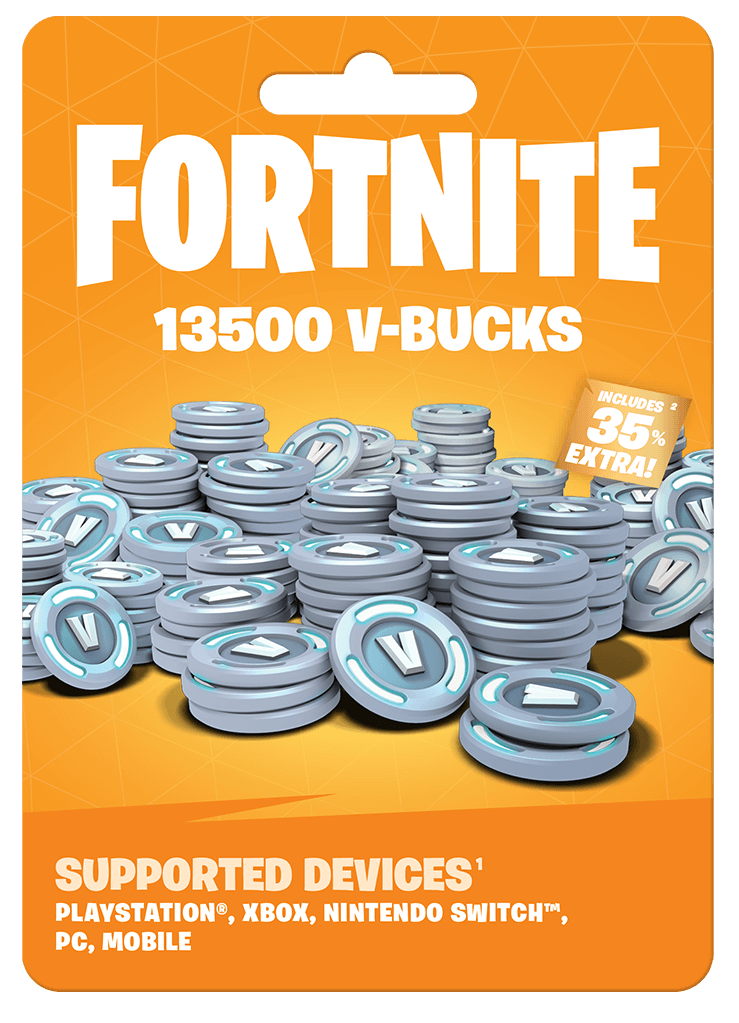
A V-Bucks card is a prepaid card you can buy from stores. It comes with a code that you can redeem online. The card has a specific amount of V-Bucks, like 1,000, 2,800, or even more. Once you redeem the code, the V-Bucks will be added to your Fortnite account. You can then use them to buy items in the game.
Where to Buy a V-Bucks Card
You can find V-Bucks cards at many stores. These include Walmart, Target, GameStop, and Best Buy. Some online stores also sell them. Make sure you buy the card from a trusted seller. This way, you avoid scams or fake codes.
What You Need Before Redeeming
Before you start, make sure you have these things ready:
- A V-Bucks Card: This is the card with the code you want to redeem.
- A Device with Internet: You’ll need a computer, phone, or gaming console with internet access.
- An Epic Games Account: This is the account you use to play Fortnite. If you don’t have one, you’ll need to create it first.
Step-by-Step Guide to Redeem Your V-Bucks Card
Follow these steps to redeem your V-Bucks card:
Step 1: Scratch Off the Code
The V-Bucks card has a silver scratch-off area on the back. Use a coin or your fingernail to scratch it off gently. Be careful not to damage the code. Once you see the code, write it down or take a picture. This will help you avoid mistakes when entering it.
Step 2: Go to the Redeem Website
Open your web browser and go to the official Epic Games website. This is the only safe place to redeem your V-Bucks card. Avoid using other websites to prevent scams.
Step 3: Log In to Your Epic Games Account
If you’re not already logged in, you’ll need to sign in. Enter your email and password for your Epic Games account. If you don’t have an account, click on “Sign Up” and follow the instructions to create one. It’s free and easy.
Step 4: Enter the Code
Once you’re logged in, you’ll see a box where you can enter your code. Type the code exactly as it appears on the card. Be careful with uppercase and lowercase letters. Also, make sure there are no extra spaces. If you make a mistake, the code won’t work.
Step 5: Confirm and Redeem
After entering the code, click on the “Redeem” button. The website will check the code. If it’s valid, the V-Bucks will be added to your account. You’ll see a confirmation message on the screen. If the code doesn’t work, double-check it for errors. If it still doesn’t work, contact Epic Games support for help.
Step 6: Check Your V-Bucks Balance
To make sure the V-Bucks were added, open Fortnite on your device. Go to the in-game store and check your V-Bucks balance. It should show the new amount. If it doesn’t, try restarting the game or logging out and back in.
Tips for Redeeming V-Bucks Cards
Here are some tips to make the process smoother:
- Keep the Card Safe: Even after redeeming the code, keep the card in a safe place. This way, you can refer to it if there’s an issue.
- Check Expiry Dates: Some V-Bucks cards have expiry dates. Make sure to redeem the code before it expires.
- Use Official Websites: Only use the official Epic Games website to redeem your code. Avoid third-party sites to stay safe.
- Contact Support if Needed: If you have trouble redeeming the code, don’t panic. Contact Epic Games support for help. They can assist you with any issues.
What Can You Buy with V-Bucks?
Once you have V-Bucks in your account, you can buy lots of cool things in Fortnite. Here are some examples:
- Skins: These are outfits for your character. They make your character look unique.
- Emotes: These are dance moves or gestures your character can do. They’re fun to use in the game.
- Battle Pass: This gives you access to extra challenges and rewards. It’s a great way to get more out of the game.
- Pickaxes and Gliders: These are tools and items that help you in the game. They also look cool.
Why Use a V-Bucks Card?
Using a V-Bucks card is a safe and easy way to get V-Bucks. Here are some reasons why it’s a good idea:
- No Need for a Credit Card: If you don’t have a credit card, a V-Bucks card is a great alternative.
- Gift for Friends: V-Bucks cards make great gifts for friends who play Fortnite.
- Control Spending: Since the card has a fixed amount, it helps you control how much you spend on the game.
Common Problems and Solutions
Sometimes, you might face issues while redeeming your V-Bucks card. Here are some common problems and how to fix them:
- Invalid Code: If the code doesn’t work, check for typos. Make sure you entered it correctly. If it still doesn’t work, contact Epic Games support.
- Code Already Used: If you get a message saying the code has already been used, someone else might have redeemed it. Contact the store where you bought the card or Epic Games support.
- Region Issues: Some V-Bucks cards are region-specific. Make sure the card you bought is for your region. If not, it might not work.
Conclusion
Redeeming V-Bucks card is a simple process. Just scratch off the code, enter it on the official website, and enjoy your V-Bucks. With this guide, you can easily add V-Bucks to your Fortnite account and start buying cool items. Remember to keep your card safe and only use official websites. Happy gaming!